How to : Create Attribute, Get Attribute & Check whether an Attribute Exists in XML FileManipulating the nodes and the elements in an XML file is easy by using PHP code. We will see how to create an attribute for an element in an xml file and to get an attribute from an xml file. We will also use a function to check whether an attribute exists in an xml file.
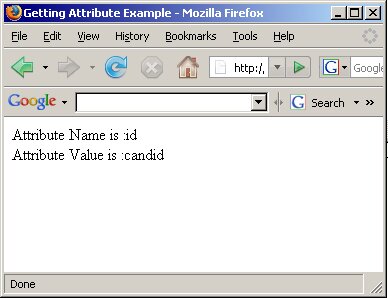
Creating an Attribute Consider an xml file candidate.xml as given below: <?xml version="1.0" encoding="UTF-8"?> In the above xml file we will add an attribute named 'candidatedesignation' by using the function createAttribute. The code to achieve this task is given below: <?php If you check the new xml file you can find an attribute added in the candidate node as, <?xml version="1.0" encoding="UTF-8"?> Getting an Attribute To get an attribute that is found in a node you can use the getAttribute function as given below. Consider an XML file candidate.xml that is given below: <?xml version="1.0" encoding="UTF-8"?> <?php The output of the above code will be as shown in the figure below:
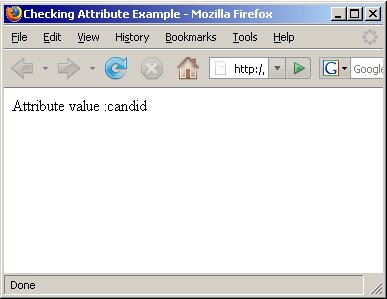
Checking whether an Attribute exists You can use the hasAttribute function to check whether an attribute exists or not. The sample code given below illustrates that function. Consider the same candidate.xml file given in the above example that has an attribute 'id' for the element 'candidatename'. We will check this file to see if it has the attribute using the function in PHP. <?php The above code checks for the 'id' attribute. For this purpose we have used an 'if' condition. If that attribute exists then you will be displayed the value of that attribute in the browser, otherwise you will get a message stating that the attribute does not exist in the node checked. The output of this code in given in the figure below:
|
|
|||
|
|
||||
“Amazon and the Amazon logo are trademarks of Amazon.com, Inc. or its affiliates.”
Copyright - © 2004 - 2019 - All Rights Reserved.